当用户点击 App 启动的时候,系统会创建进程并为进程申请一块虚拟内存,虚拟内存和物理内存是需要映射的。当进程需要访问的一块虚拟内存页还没有映射对应的物理内存页时,就会触发一次缺页中断 Page In。这个过程中会发生 I/O 操作,将磁盘中的数据读入到物理内存页中。如果读入的是 Text 段的页,还需要解密,并且系统还会对解密后的页进行签名验证。所以,如果在启动过程中频繁的发生 Page In 的话,Page In 引起的 I/O 操作以及解密验证操作等的耗时也是影响很大的。需要注意的是,iOS13 及以后苹果对这个过程进行了优化,Page In 的时候不再需要解密了。
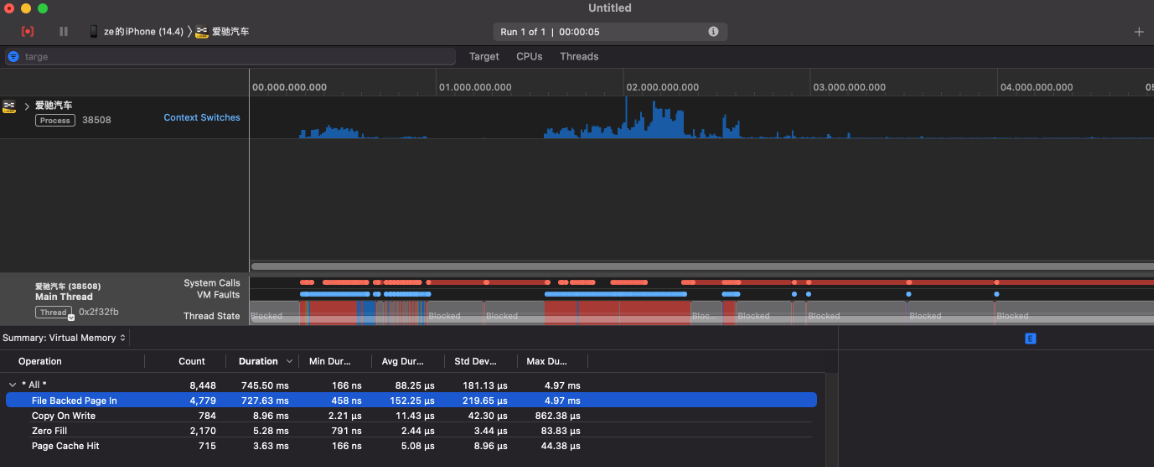
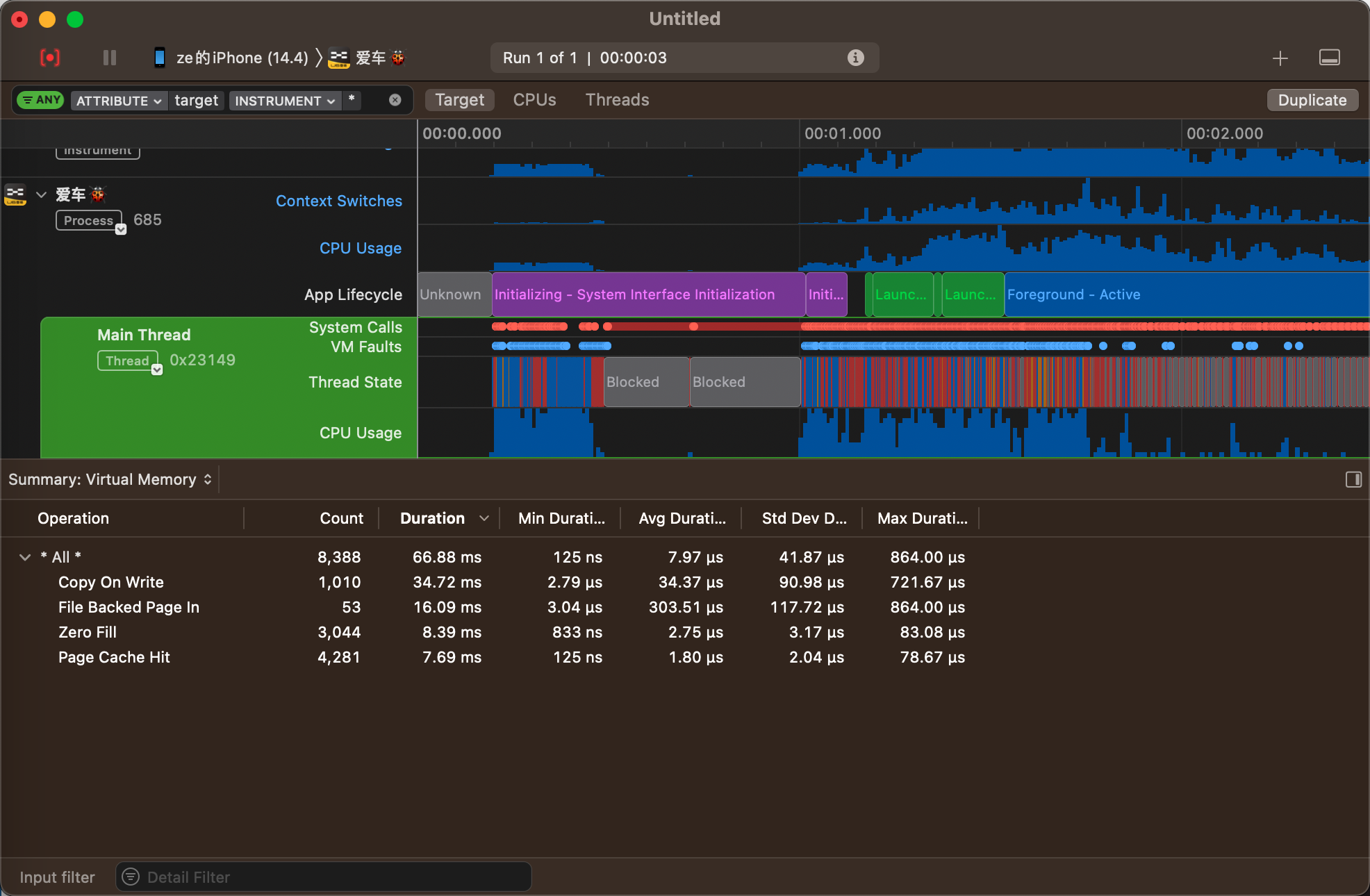
Page In 的具体情况我们可以通过 Instruments 中的 System Trace 工具来分析,其中找到 Main Thread 进程,再选择 Summary:Virtual Memory 选项,下面看到的 File Backed Page In 就是对应的缺页中断数据了,从数据上看Page In对启动的影响并非瓶颈,如下图所示:
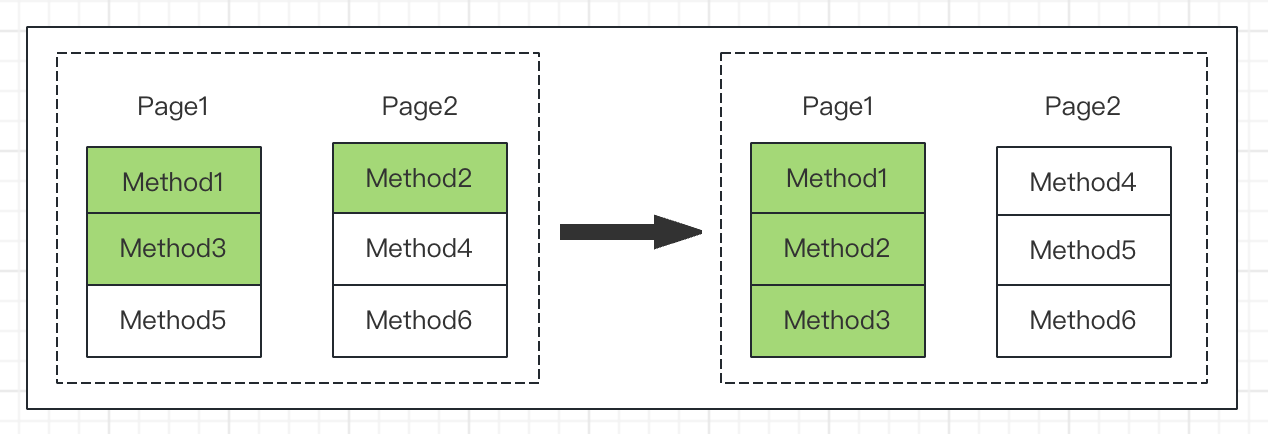
在启动过程中过多的 Page In 会产生过多的 I/O 操作以及解密验证操作,这些操作的耗时影响也会比较大。针对 Page In 的影响,我们可以通过二进制重排来减少这个过程的耗时。我们知道进程在访问虚拟内存的时候是以页为单位的,而启动过程中的两个方法如果在不同的页,系统就会进行两次缺页中断 Page In 操作来加载这两个页。而如果启动链路上的方法分散在不同的页的话,整个启动的过程就会产生非常多的 Page In 操作。为了能减少系统因缺页中断产生的 Page In 操作,我们需要做的就是把启动链路上所有用到的方法都排在连续的页上,这样系统在加载符号的时候就可以减少相应的内存页数量的访问,从而减少整个启动过程的耗时,如下图所示:
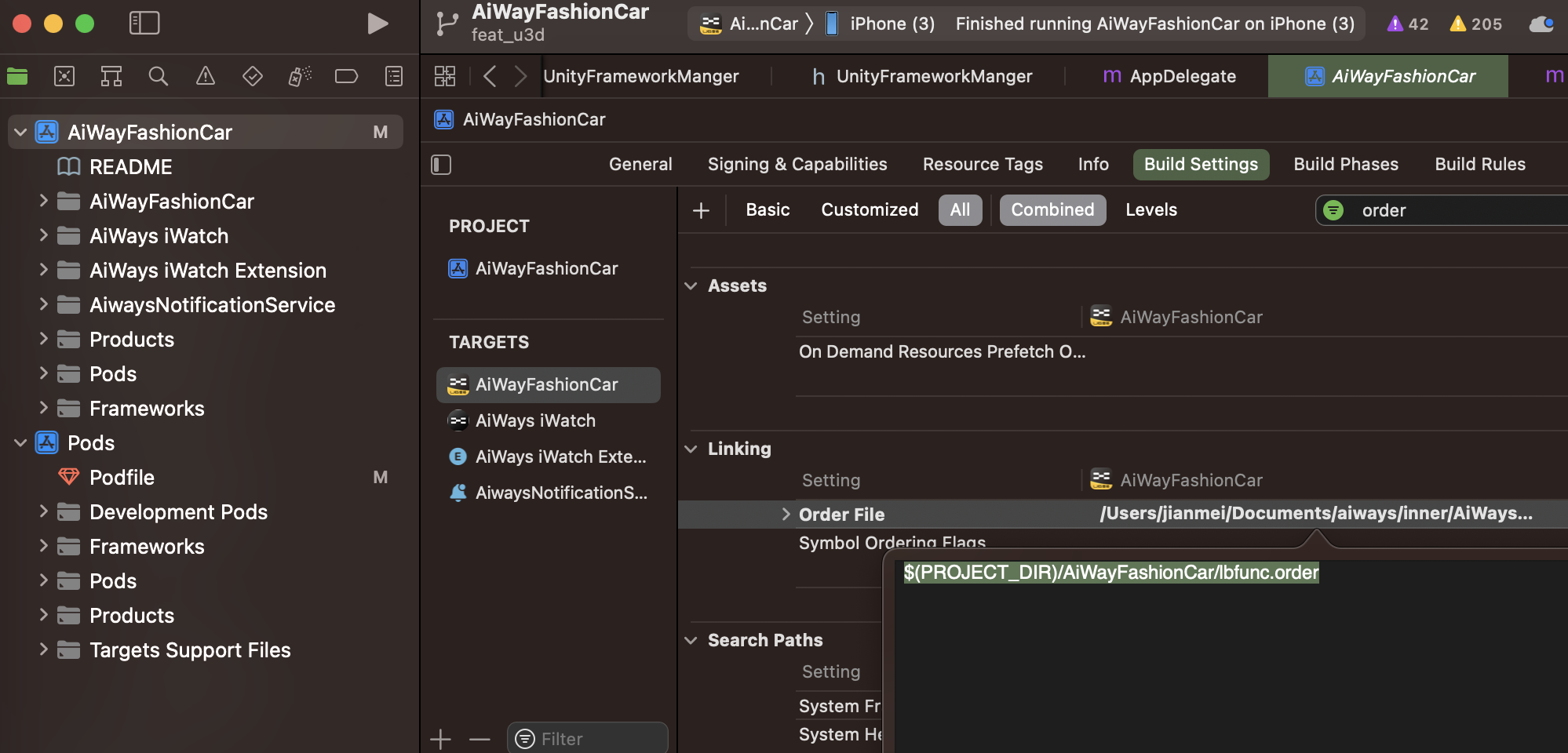
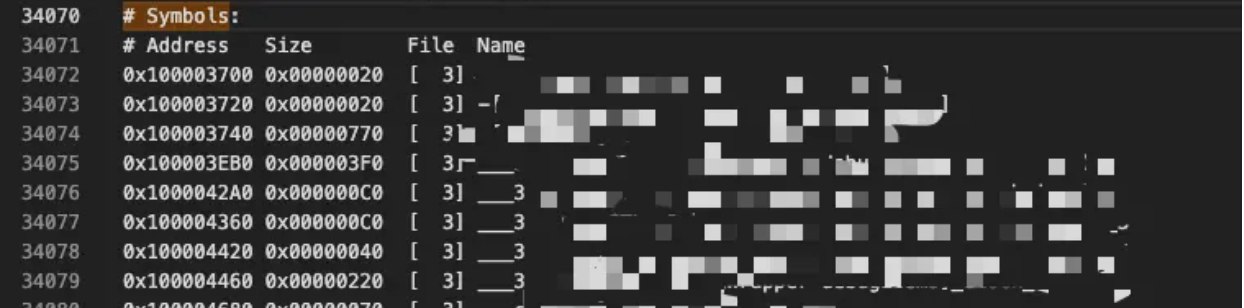
要实现符号的重排,一是需要我们收集整个启动链路上的方法和函数等符号,二是需要生成对应的 order 文件来配置 ld 中的 Order File 属性。当工程在编译的时候,Xcode 会读取这个 order 文件,在链接过程中会根据这个文件中的符号顺序来生成对应的 MachO。一般业界中收集符号的方案有两种:
Hook objc_msgSend,只能拿到 OC 以及 swift @objc dynamic 的符号;
# 二进制重排设置
  installer.pods_project.targets.each do |target|
    target.build_configurations.each do |config|
      if config.name == 'Debug'
        config.build_settings['OTHER_CFLAGS'] ||= '$(inherited)'
        config.build_settings['OTHER_CFLAGS'] << ' '
        config.build_settings['OTHER_CFLAGS'] << '-fsanitize-coverage=func,trace-pc-guard'
      end
    end
  end

# 主工程二进制重排设置
  app_project.native_targets.each do |target|
    if target.name == 'AiWayFashionCar'
      target.build_configurations.each do |config|
        if config.name == 'Debug'
          config.build_settings['OTHER_CFLAGS'] ||= '$(inherited)'
          config.build_settings['OTHER_CFLAGS'] << ' '
          config.build_settings['OTHER_CFLAGS'] << '-fsanitize-coverage=func,trace-pc-guard'
        end
      end
    end
  end
// The guards are [start, stop). // This function will be called at least once per DSO and may be called // more than once with the same values of start/stop. void __sanitizer_cov_trace_pc_guard_init(uint32_t *start, uint32_t *stop) { static uint32_t Counter; // Counter for the guards. if (start == stop || *start) return; // Initialize only once. printf("INIT: %p %p\n", start, stop); for (uint32_t *x = start; x < stop; x++){ *x = ++Counter; // Guards should start from 1. } }
// This callback is inserted by the compiler on every edge in the // control flow (some optimizations apply). // Typically, the compiler will emit the code like this: // if(*guard) // __sanitizer_cov_trace_pc_guard(guard); // But for large functions it will emit a simple call: // __sanitizer_cov_trace_pc_guard(guard); // 该回调由编译器插入到 // 控制流(适用一些优化) // 通常,编译器将发出如下代码: // if(*guard) // __sanitizer_cov_trace_pc_guard(guard); // But for large functions it will emit a simple call: // __sanitizer_cov_trace_pc_guard(guard); void __sanitizer_cov_trace_pc_guard(uint32_t *guard) { if (collectFinished || !*guard) { return; } // If you set *guard to 0 this code will not be called again for this edge. // Now you can get the PC and do whatever you want: // store it somewhere or symbolize it and print right away. // The values of `*guard` are as you set them in // __sanitizer_cov_trace_pc_guard_init and so you can make them consecutive // and use them to dereference an array or a bit vector. *guard = 0; // __builtin_return_address(0)的含义是,得到当前函数返回地址,即此函数被别的函数调用,然后此函数执行完毕后,返回,所谓返回地址就是那时候的地址 void *PC = __builtin_return_address(0); PCNode *node = malloc(sizeof(PCNode)); *node = (PCNode){PC, NULL}; OSAtomicEnqueue(&queue, node, offsetof(PCNode, next)); } #endif